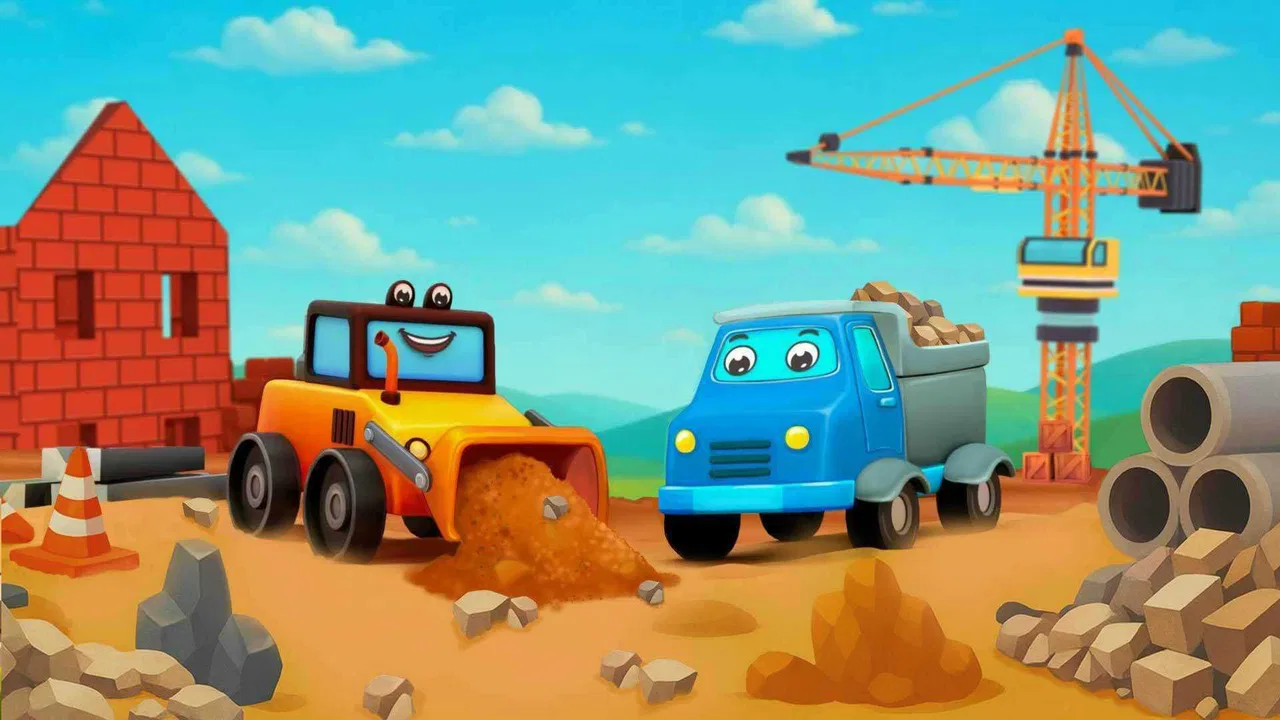
Bulldozer Construction Games
- 0.0
- Rating
- 10.00K
- Installs
- Free
- Price

 Analysis by App-foxy
I found Bulldozer Construction Games most interesting as a small, focused educational game for children who are fascinated by work vehicles. Instead of presenting construction as a complicated simulation, it puts the attention on familiar machines such as bulldozers, excavators, and other vehicles. That makes the idea immediately understandable for a young player: choose a machine, interact with a building task, and enjoy the feeling of making progress.
My first impression is that this is best viewed as a short-session activity rather than a complete construction simulator. The appeal comes from the theme and the simple vehicle-centered play, not from deep engineering rules or a large management system. For a parent looking for a gentle way to keep a child occupied while encouraging recognition, coordination, and cause-and-effect thinking, the concept is easy to understand. For an older child expecting realistic machinery controls, complex objectives, or a long campaign, the experience may feel limited.
The game is made by Timpy Games For Kids, Toddlers & Baby and sits in the educational category. It is free to start, aimed at Everyone, and has reached over ten thousand installs. Those details place it firmly in the casual family-game space: something that can be tried without committing to a purchase, then judged by the child’s interest and the way the family handles optional spending.
You May Also Like

 AccuWeather: Weather Radar
AccuWeather Review: A Quick, Clear Forecast for Everyday Decisions
For everyday plans, the best forecast is the one you can understand quickly. AccuWeather makes rain timing, radar, and local conditions easy to act on, with a few trade-offs.

 Hill Climb Racing
Why Hill Climb Racing Still Turns Crashes Into One More Run
A tiny car, a bumpy hill and one more upgrade: Hill Climb Racing keeps resurfacing because its simple chaos makes every near-miss feel personal.

 AliExpress - Shopping App
AliExpress Makes Global Shopping Feel Personal, but Shoppers Bear the Risk
AliExpress turns a global marketplace into a pocket-sized discovery engine. Its reach is useful, its shopping loop compelling, and its trade-offs easy to miss.

 Lords Mobile: Kingdom Wars
Lords Mobile Is a Kingdom-Building Routine, Not a Quick Match
A case-by-case verdict on the building, battles, device demands, and social commitments that make Lords Mobile rewarding for some players and exhausting for others.

 PDF Scanner app - TapScanner
TapScanner Makes Paperwork Easier to Capture, Check, and Share
TapScanner makes scanning with a phone feel less like a rescue operation and more like a dependable step in getting work done. Its capture tools are useful, though not flawless.

 Block Blast!
 Shows How Much a Puzzle Game Can Leave Out
A quiet grid game shows why puzzle players increasingly value instant clarity, repeatable skill and low-pressure play—and where the genre still needs to catch up.
More From Our News Desk
View All News


How the construction theme feels in everyday play
The strongest part of the design is its clear subject. A bulldozer is not an abstract character or a decorative background element; it is the reason to open the game. Children who already point at trucks on the road or ask what an excavator does have a natural entry point. I would introduce it to a child by naming the vehicles and asking what each one might be used for, rather than simply handing over the phone and walking away.
A realistic everyday use case would be a short waiting period at a restaurant, in a car before an appointment, or during a quiet break at home. I would keep the session brief and let the child complete a small construction activity before putting the device away. That approach suits the theme better than expecting the game to provide an entire afternoon of entertainment. The vehicle focus gives the child something concrete to talk about, while the interactive tasks can make the waiting time feel purposeful.
One useful tip is to treat the game as a conversation starter. Ask the child to identify the bulldozer, compare it with an excavator, or explain which vehicle seems suited to moving material. Even if the game itself remains simple, this turns passive tapping into a little vocabulary exercise. It also helps parents see whether the child is actually engaged with the construction idea or merely touching animated objects.
The educational value should be understood in modest terms. I would not use it as a replacement for a structured lesson about machines, safety, building methods, or physics. Its value is more immediate: it can support attention, visual recognition, hand-eye coordination, and basic sequencing when a child follows a task from one action to the next. That is a reasonable role for a free children’s game, provided expectations stay realistic.
What makes the pace feel suitable for young players
For a young audience, perceived speed matters more than technical speed. A child wants the vehicle to respond promptly enough that the connection between a touch and an on-screen action feels obvious. In this kind of game, long pauses would be especially frustrating because the activities are built around direct interaction with large, recognizable machines. My preference is to let a child try the controls without interruption, then step in only if the response seems confusing.
The simple theme also helps the game feel approachable. There is no need to explain a complicated fictional world before the child can begin thinking about the bulldozer. That reduces the mental load at the start, which is important for toddlers and preschool-age players who may abandon an activity if too many instructions appear at once.
At the same time, a straightforward construction game can lose its appeal once the child understands the basic pattern. The speed of the first discovery may not translate into long-term variety. I would therefore use it as one option in a rotation with picture books, real toy vehicles, drawing, or outdoor observation. The best fit is a child who enjoys repeating familiar actions and watching a machine complete a visible task.
Parents should also remember that quick access is not the same as unlimited suitability. Even a calm educational game can become tiring if a child keeps repeating the same interaction for too long. I find it more effective to set a natural stopping point, such as finishing one activity or naming the vehicles used, rather than allowing the session to continue simply because the game remains open.
What happens when the game gets heavy use
The most demanding moments are likely to be the ones in which several animated elements, vehicle movement, and touch responses happen close together. I cannot responsibly attach a performance score or promise identical behavior on every phone, because the experience depends on the device and operating environment. What I can say is that children’s games are judged harshly by interruptions: a brief pause that an adult might ignore can break a young player’s concentration completely.
If a child is using it repeatedly, I would watch for practical signs rather than trying to measure performance. Does the vehicle react consistently? Does the device become noticeably warm? Does the game return smoothly after being left for a moment? These observations are more useful to a family than a theoretical specification, especially because the game supports devices running Android 5.1 or later and that range includes hardware with very different capabilities.
A helpful workflow is to close other demanding apps before giving the game to a child, particularly on an older phone or tablet. I would also avoid starting a session when the device is already close to running out of battery. These are not special requirements advertised by the game; they are sensible habits for keeping a child’s play session less vulnerable to unrelated slowdowns or interruptions.
Heavy use also exposes a content issue. If the child wants a fresh challenge every few minutes, a focused bulldozer game may not satisfy that appetite. Its strongest use is repeated practice with a familiar theme, not endless novelty. That trade-off is important: repetition can be comforting and useful for a young learner, but it can feel monotonous to a child who has already moved beyond basic vehicle play.
Reliability, recovery, and the parent’s role
For a children’s game, reliability includes more than whether it launches. Recovery matters because young players rarely explain what went wrong; they simply hand the device back or move on. I would pay attention to how easily the child can return to play after a brief interruption, such as locking the screen, switching away accidentally, or receiving a normal device notification. A clear, uncomplicated return is more valuable here than a long list of advanced options.
The current version is 1.0.0, so I would approach it as an early release rather than assuming years of refinement. That does not make it a poor choice, but it does make a short trial sensible. Let the child use it while an adult is nearby, check that the controls are understandable, and see whether the game behaves comfortably on the intended device before relying on it for travel or a long wait.
My recovery advice is simple: if play becomes unresponsive, leave the game, reopen it, and check whether the device has enough free working capacity for normal operation. If the child’s progress is important, I would not assume that every interruption will preserve the exact moment of play unless the game clearly communicates that behavior. A parent should be ready to restart an activity without presenting that as a crisis; for this type of short-session game, restarting may be acceptable, but it can still disappoint a child who was deeply involved.
Another reliability question concerns supervision around purchases. The game is free, but in-app items cost $2.99 each. I would set up the device so that a child cannot approve a purchase independently, and I would explain that extra content is an adult decision. This is especially important with younger players, who may tap attractive buttons without understanding that they can lead to a charge. The free entry point is convenient, but it should not be confused with a completely cost-free experience.
Device limits and choosing the right screen
The Android requirement begins at version 5.1, which makes the game accessible to a broad range of compatible devices. Still, operating-system compatibility alone does not guarantee an equally smooth experience on every phone or tablet. A newer tablet with a larger screen may be easier for small hands to use, while an older phone may be perfectly adequate for a short test but less comfortable for repeated play.
Screen size is a practical consideration that can be overlooked. Construction vehicles are visually appealing partly because their shapes are easy to recognize. On a very small display, buttons and moving parts may feel cramped, and a child may touch the wrong area more often. I would favor a tablet or a phone with a clear, responsive screen if the game is intended for regular use, while treating an older spare device as a trial option rather than automatically assuming it will be ideal.
Resource demands should also be judged by experience, not guesswork. I would not claim that the game is exceptionally light or especially demanding without dependable testing across devices. The safer expectation is that basic play should be evaluated on the actual handset the child will use. Open it, try a complete activity, switch away briefly, and return. That small check answers more than a generic hardware comparison.
Families sharing one device should think about timing. If a parent is using the phone for navigation, calls, work, or a video meeting, handing it to a child may create unnecessary pressure even if the game itself runs well. A dedicated older tablet can be more practical for this kind of activity, provided it meets the Android requirement and is configured with appropriate purchase controls.
There is also a difference between portability and comfort. A phone is convenient for a quick wait, but a larger screen is usually better when an adult wants to sit beside the child and discuss the machines. That shared use is where the educational angle becomes more meaningful. The child can point, name, and explain, while the adult can notice whether the controls are helping or merely filling time.
Who will enjoy it, and who should choose something else
I think this game is a good match for toddlers and young children who already like construction vehicles and prefer direct, visual activities. It may also suit a parent who wants a free first step into educational vehicle games before paying for a larger package. The Everyone rating makes the intended audience broad, but the actual fit still depends on the child’s patience, motor control, and appetite for repetition.
I would skip it for a child who wants realistic construction planning, detailed machine operation, open-ended building, or competitive goals. A child interested in designing a complete city may be happier with a building or sandbox game. A child who wants to learn how real excavators work may get more from an illustrated book, a documentary made for children, or supervised outdoor observation. Those alternatives provide depth that a simple vehicle activity is not designed to replace.
It is also not my first choice for unsupervised access on a shared family device. The optional $2.99 purchases make adult controls worthwhile, and young children may need help understanding what to do next or when to stop. The game can be independent for short periods once the child knows the routine, but I would begin with shared play rather than assuming the child will manage every screen correctly.
Compared with ordinary educational flashcard apps, this title has a more active, tactile identity. A flashcard app may be better for deliberate vocabulary practice, while the construction theme is better at motivating a child who learns through movement and pretend work. Compared with a full vehicle simulator, this game should be easier to approach but much less satisfying for anyone looking for realism. Its position between those two alternatives is its main strength.
Small strategies that improve the experience
My first suggestion is to connect the digital vehicle with something in the real world. If a child sees roadwork, ask whether the machine resembles the bulldozer or excavator from the game. If there is a toy truck nearby, let the child recreate the activity away from the screen. This gives the game a useful aftereffect and prevents it from becoming an isolated sequence of taps.
My second suggestion is to use language deliberately. Instead of saying only “tap here,” describe the action: move, push, dig, carry, or build. Then ask the child to repeat the word. This turns the vehicle interactions into a small speaking exercise without making the session feel like formal homework.
A third useful approach is to test the game at the time and place where it will actually be needed. A title that works well during a calm home session may be less convenient in a noisy waiting room, where the child is distracted and the parent is busy. Trying it beforehand lets you discover whether the child can navigate it comfortably and whether the device remains responsive after being carried around.
I would also keep purchase decisions outside the child’s play routine. If optional items are appropriate for your family, an adult can decide separately rather than allowing the child to associate every attractive screen with an immediate purchase. This keeps the game’s free starting point genuinely useful while preserving a clear boundary around spending.
My performance verdict after weighing the trade-offs
My overall view is favorable but deliberately modest. This is a focused children’s construction game, not a complete machinery simulator. Its likely appeal comes from recognizable vehicles, accessible interaction, and a theme that naturally invites conversation. The free price makes it easy to try, while the Everyone rating supports its family-oriented positioning. I would recommend testing it on the exact device your child will use, especially if that device is older or shared with other family members.
The biggest performance expectation should be consistency during short sessions. I would not choose it because of promises about speed, battery use, or flawless recovery; those qualities need to be judged on the individual handset. Instead, I would choose it because a child who loves bulldozers may engage with the subject immediately. That motivation can matter more than advanced graphics when the goal is a calm, simple educational activity.
The release status also affects my recommendation. With version 1.0.0, I would give it a fair trial and keep expectations flexible. If the child enjoys repeating construction actions and the game remains comfortable on the device, it can earn a place in a small rotation of age-appropriate activities. If the child quickly asks for deeper challenges, more varied objectives, or realistic controls, moving to a richer alternative will make more sense than expecting this game to grow into something it was not built to be.
In the end, I would recommend Bulldozer Construction Games to families seeking an approachable, vehicle-themed activity for young children, especially when a short, supervised session is the goal. I would pair it with real-world discussion, toys, books, or outdoor observation so the construction theme extends beyond the screen. That combination gives the game its best chance to be genuinely useful rather than merely another way to pass time.
FAQs for Bulldozer Construction Games
01What is Bulldozer Construction Games about?
Bulldozer Construction Games is a simulation-style mobile game focused on operating heavy construction machinery. Players typically drive a bulldozer through building sites, clear dirt and debris, level uneven ground, and complete jobs for rewards. The gameplay is designed to be accessible, with straightforward controls and short missions that gradually introduce more demanding construction tasks and environments.
02How do you control the bulldozer in the game?
The game generally uses touch-based controls, such as on-screen steering buttons, a virtual joystick, or directional controls, depending on the version and device. Separate controls may be available for moving the blade and interacting with construction materials. At first, the machinery can feel slightly difficult to handle, but the early missions provide a useful opportunity to learn turning, positioning, reversing, and accurate ground clearing.
03Can Bulldozer Construction Games be played offline?
Many missions can usually be played without a continuous internet connection, which makes the game suitable for short sessions while traveling or when mobile data is unavailable. However, certain features may still require internet access, including advertisements, updates, cloud-related services, special events, or links to other content. It is best to launch the game online once after installation to confirm which functions work offline.
04Is Bulldozer Construction Games free to download and play?
The game is commonly offered as a free download, but free access may include advertisements, optional purchases, or limitations on some vehicles, missions, and upgrades. Watching rewarded advertisements may provide extra coins or unlock temporary benefits, while in-app purchases can speed up progress. Before downloading, users should review the store listing for the current pricing, advertising policy, and supported payment options.
05Is the game suitable for children and low-end devices?
Bulldozer Construction Games is generally easy to understand because its main objective is driving machinery and completing construction assignments. Nevertheless, parents should check the age rating, advertising content, and any in-app purchase options before allowing younger children to play. Performance depends on the specific release, but reducing graphics settings, closing background apps, and keeping sufficient storage can help on older Android or iOS devices.
Pros
- Simple controls make it accessible for younger players.
- Multiple construction tasks provide variety beyond basic driving.
- Offline play is useful when traveling or away from Wi-Fi.
- Short missions fit well into quick gaming sessions.
- Bright visuals and sound effects make the machinery feel engaging.
Cons
- Repetitive objectives may become boring after extended play.
- Some machines or levels may require in-app purchases to unlock.
- Ads can interrupt gameplay
- especially between missions.
- Physics and vehicle movement can feel unrealistic at times.
- The game may use considerable battery during longer sessions.

Bulldozer Construction Games
Gallery